CHANNEL FIFTEEN· the Earshot field manual

REF // RFCOMM CH 15 → NOW

THIS IS AN EARBUD

THIS IS WHAT IT SAYSAA 0D 00 00 06 81 00 06 …

CHANNELFIFTEEN

How a Mac learned to talk to a pair of earbuds — from electrons to a menu-bar app.

Begin the story ↓

FIG. 00 — THE PROBLEM

loading model…

00/08

the problem

A pair of earbuds that wouldn't talk to a Mac

On a phone, realme Link shows each bud's battery and changes noise cancelling, EQ, spatial audio and taps. On a Mac: nothing. The buds play music, and every setting is invisible. This is the story of fixing that, from the electrons up.

01/08

anatomy

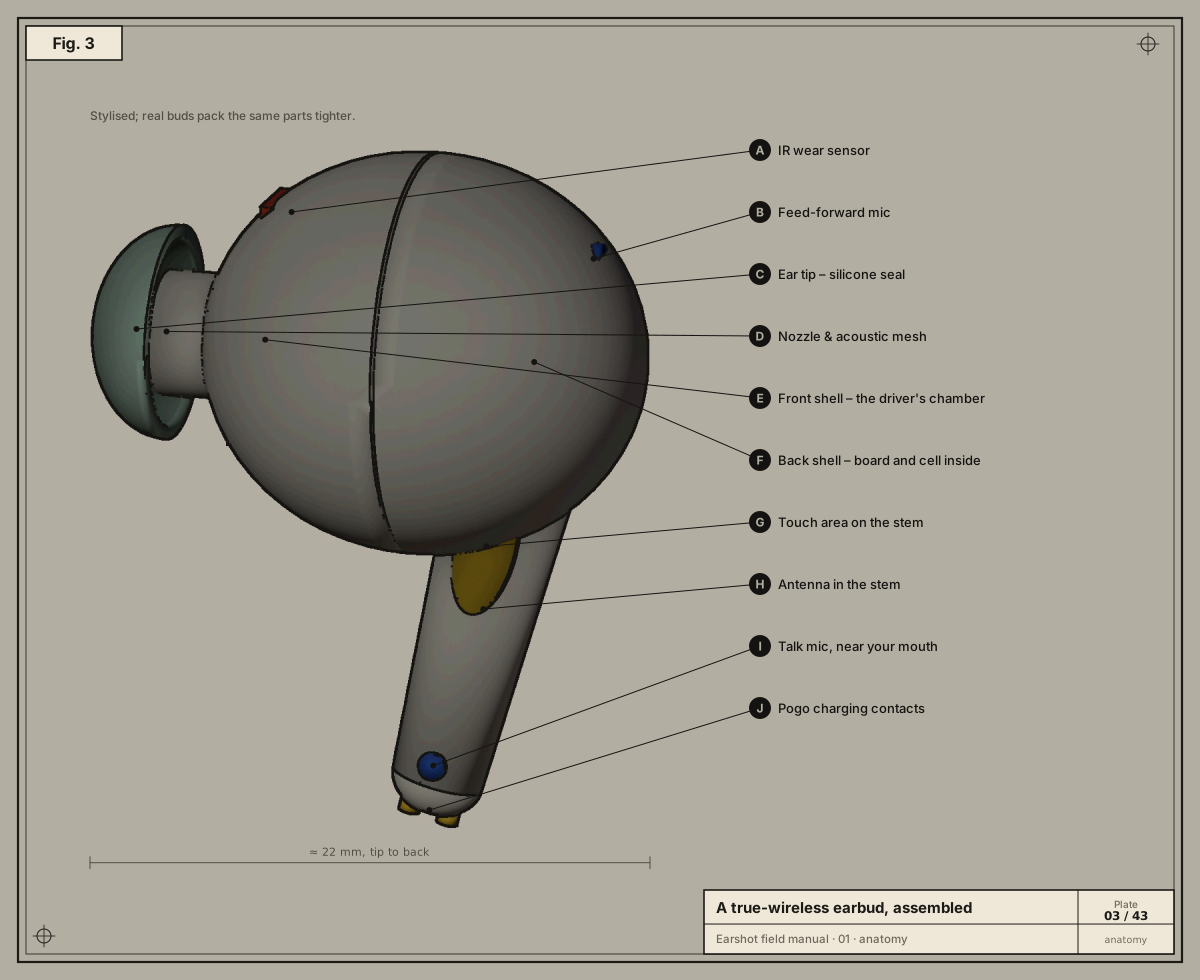
It's a computer that fits in your ear

Pull one apart along its axis and you find a speaker, three microphones, sensors, a battery, a radio and a processor with memory. Every setting Earshot changes ends up somewhere in here.

02/08

sound

Magnet, coil, diaphragm

Current through the voice coil pushes against the magnet, the diaphragm moves, and air moves with it. The ear tip seals it all in — without the seal there is no bass and nothing for noise cancelling to work with.

03/08

the brain

Settings live in the flash

The Bluetooth SoC is radio, DSP and CPU on one chip. Its firmware reads and writes the flash, where your EQ, noise mode and tap actions are kept — which is why they survive switching to your phone.

04/08

senses

Mics, light and touch

A feed-forward mic hears the world, a feedback mic hears your ear canal, a talk mic hears you. Infrared light bouncing off skin says “in ear”. Your finger changes the touch pad's capacitance.

05/08

power & radio

A cell, two pins, an antenna

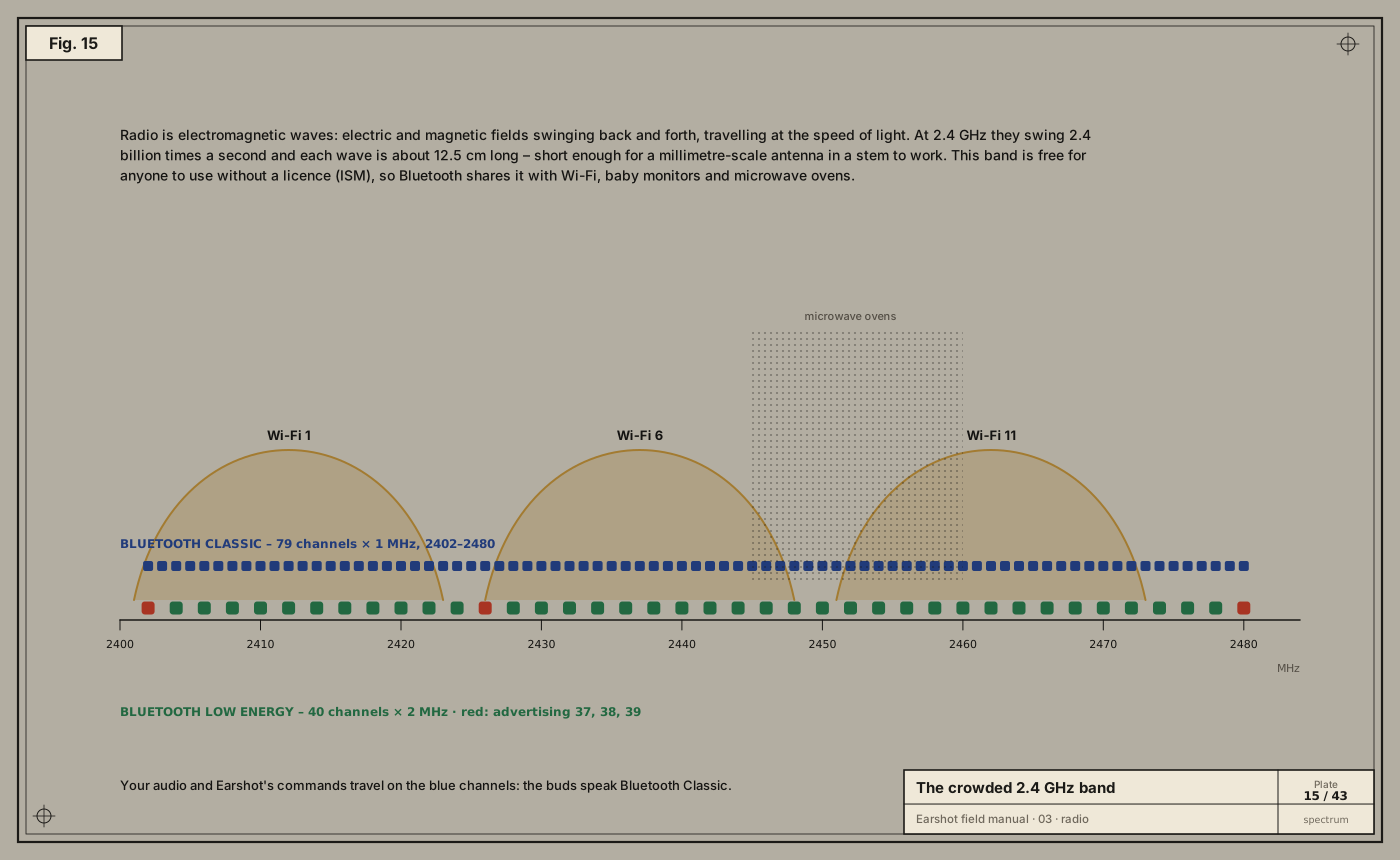
A tiny lithium-ion cell, charged through two pogo pins, and an antenna tuned to 2.4 GHz in the stem — where 79 channels are hopped 1600 times a second.

06/08

the door

Channel 15: “oppointeraction”

Behind the music sits a hidden serial channel macOS never opens. Earshot opens it and asks, in nine bytes, “how full is your battery?” — and the buds answer: left 10 %.

07/08

the case

Back in the case, the buds keep talking

The case is a computer too: its own cell, a charger, and a Hall sensor that notices the lid. Each bud drops onto two pogo pins in its well; the case tells them its level, and the buds tell Earshot.

08/08

read on

Lid shut. Thirteen chapters, forty-three plates.

Sound to bits, radio, the Bluetooth stack, macOS, the method, the protocols byte by byte, integrity, seven brands, the app and shipping. Start anywhere.
Start with the prologue →

contents · asset 000–012

THE CHAPTERS

Each one opens where the story was, then goes all the way down.

00 ASSET – 001

Prologue: a pair of earbuds that wouldn't talk to a Mac

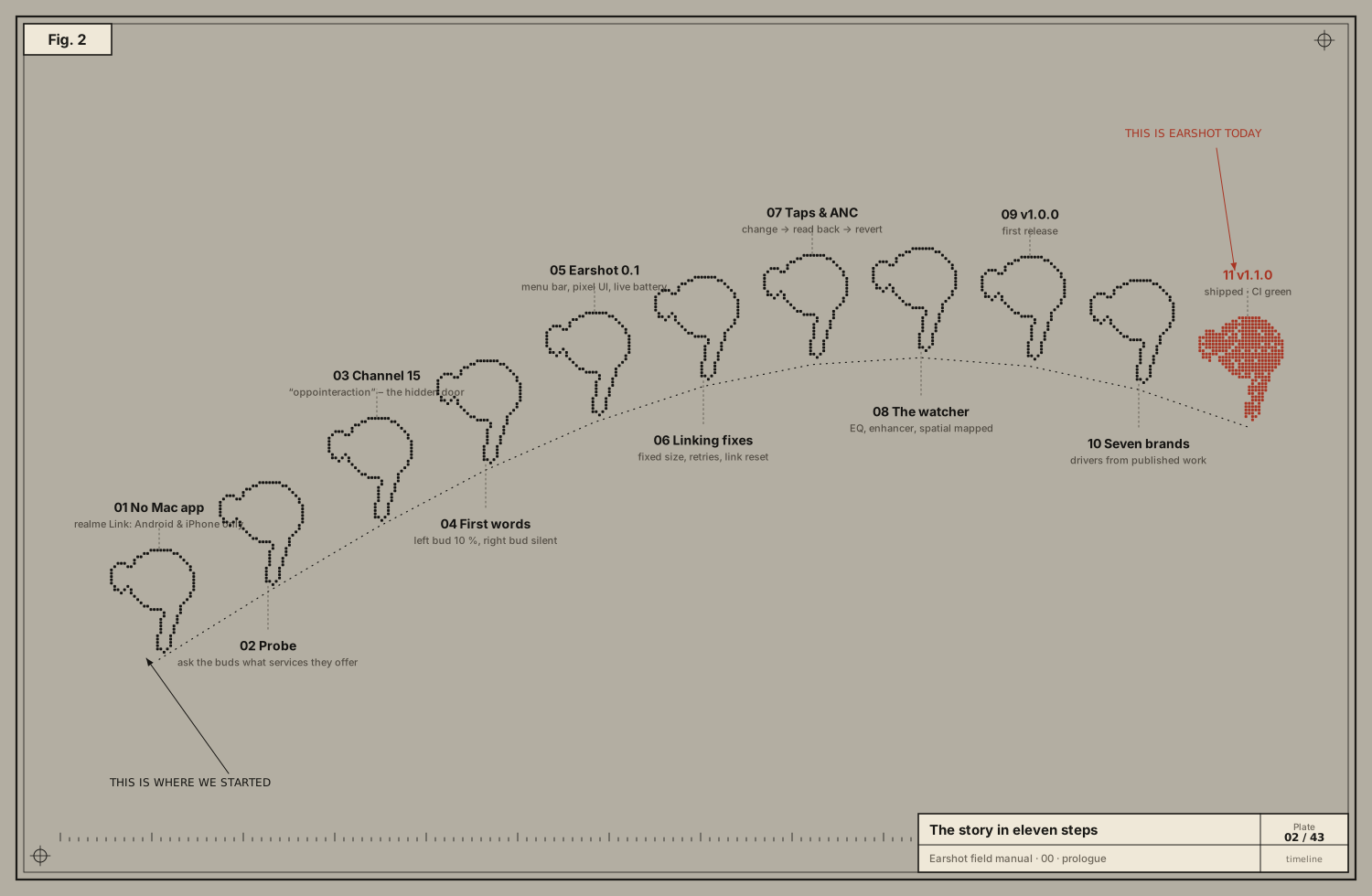
It started with one sentence: "I have a realme Buds Air 7. All features are available on Android, but on the Mac they're not. What can we do?"

01 ASSET – 002

Anatomy of an earbud

Before the first byte, we had to know what we were talking to. A Mac sees "a pair of headphones"; inside each bud is a computer with sensors, a radio and memory where every setting lives.

02 ASSET – 003

Sound to signals to bits

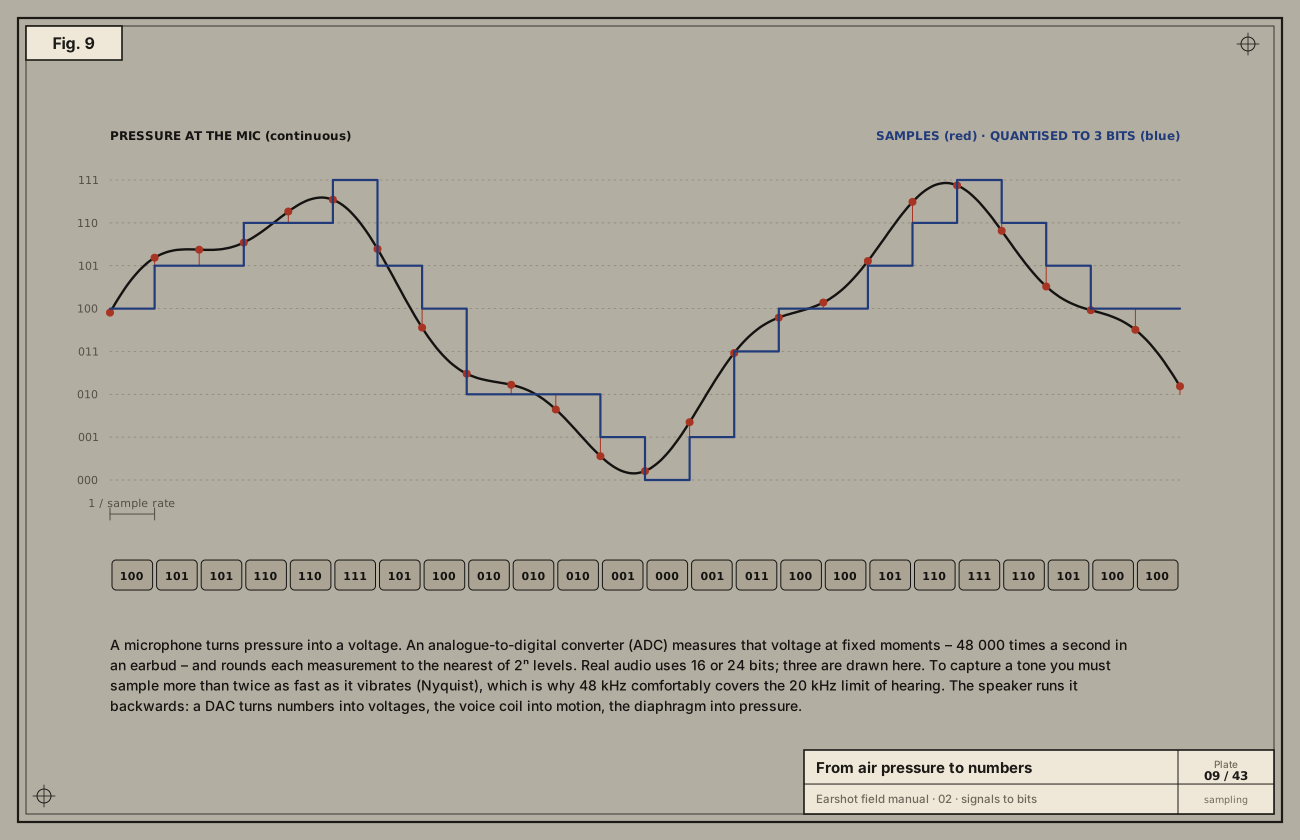
The first reply from the buds was a row of numbers like AA 0D 00 00 06 81 …. To read it we need to know what a byte is, why it's written in hex, and why 06 81 means 0x8106. This chapter builds that from air…

03 ASSET – 004

Radio

The bytes we write on the Mac arrive in the buds a few centimetres away, through the air, past Wi-Fi and microwaves. This is how.

04 ASSET – 005

The Bluetooth stack

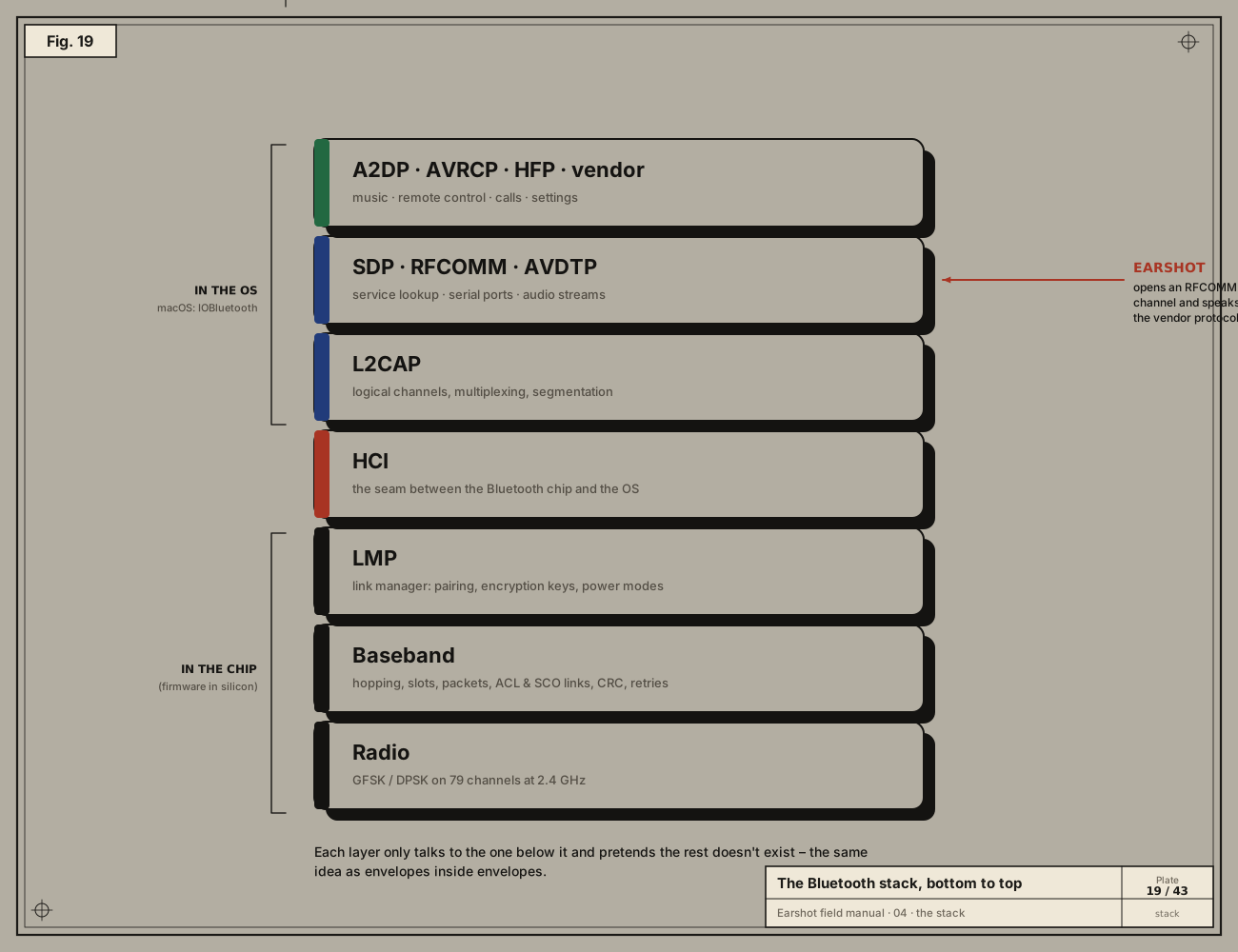
The buds were already "connected" to the Mac and playing music, yet none of the settings were reachable. The reason is in the layers of the Bluetooth stack, and in which of them macOS chooses to open.

05 ASSET – 006

Finding the door on macOS

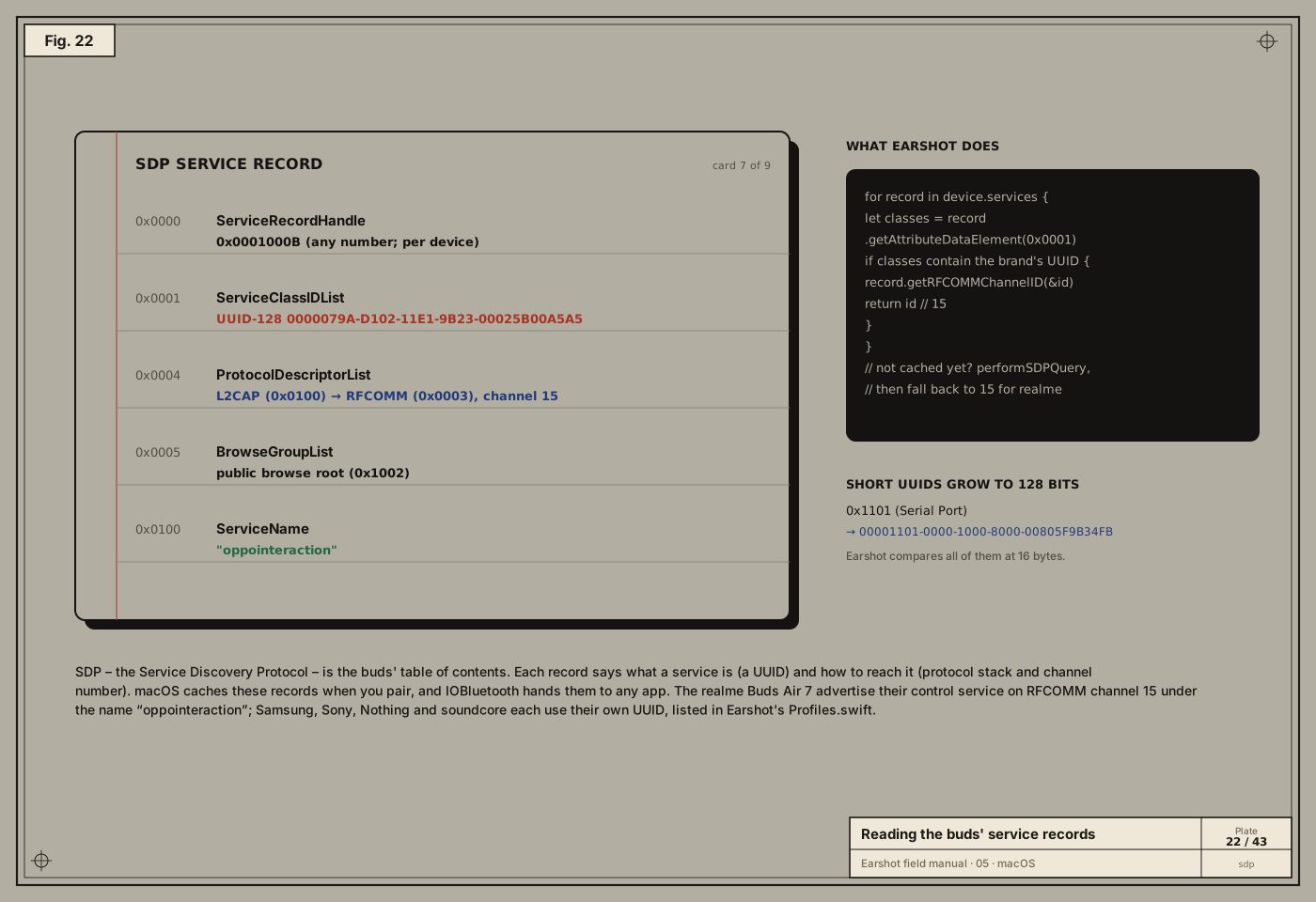
The probe found the hidden service oppointeraction on channel 15, and the first test read the battery. Turning that into an app that links every time took retries, link resets and clean shutdowns, after many…

06 ASSET – 007

The method: learning a language nobody wrote down

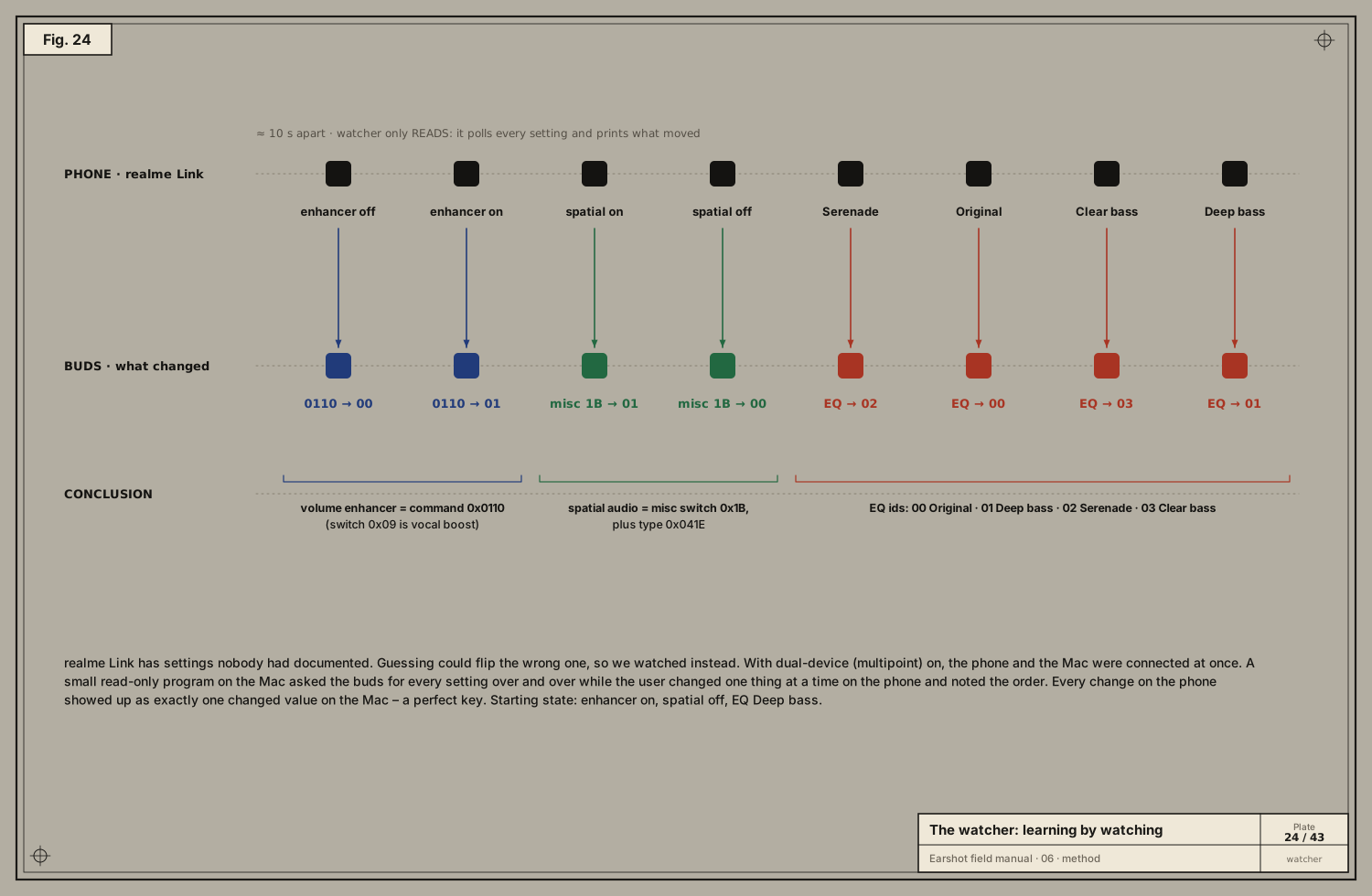
Realme publishes nothing. Gadgetbridge got us started, but EQ, the volume enhancer and spatial audio were undocumented, and one encoder had a hidden bug. This is the careful method that solved both.

07 ASSET – 008

OPO byte by byte

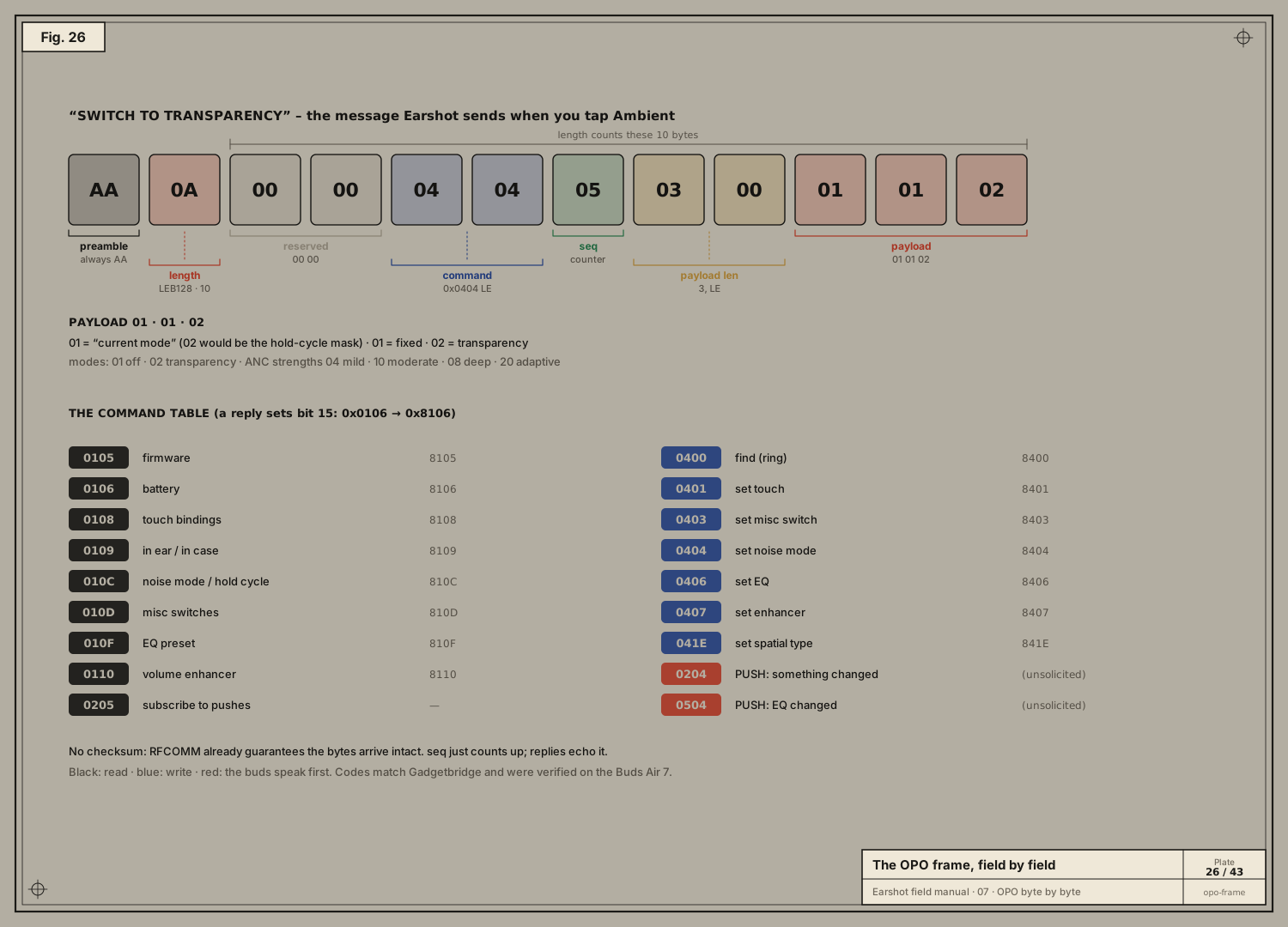
Channel 15 is open and the buds answer. Now we have to speak their language fluently: every field, every command, every quirk. This is the protocol Earshot was born speaking.

08 ASSET – 009

Integrity: where messages begin, end, and stay correct

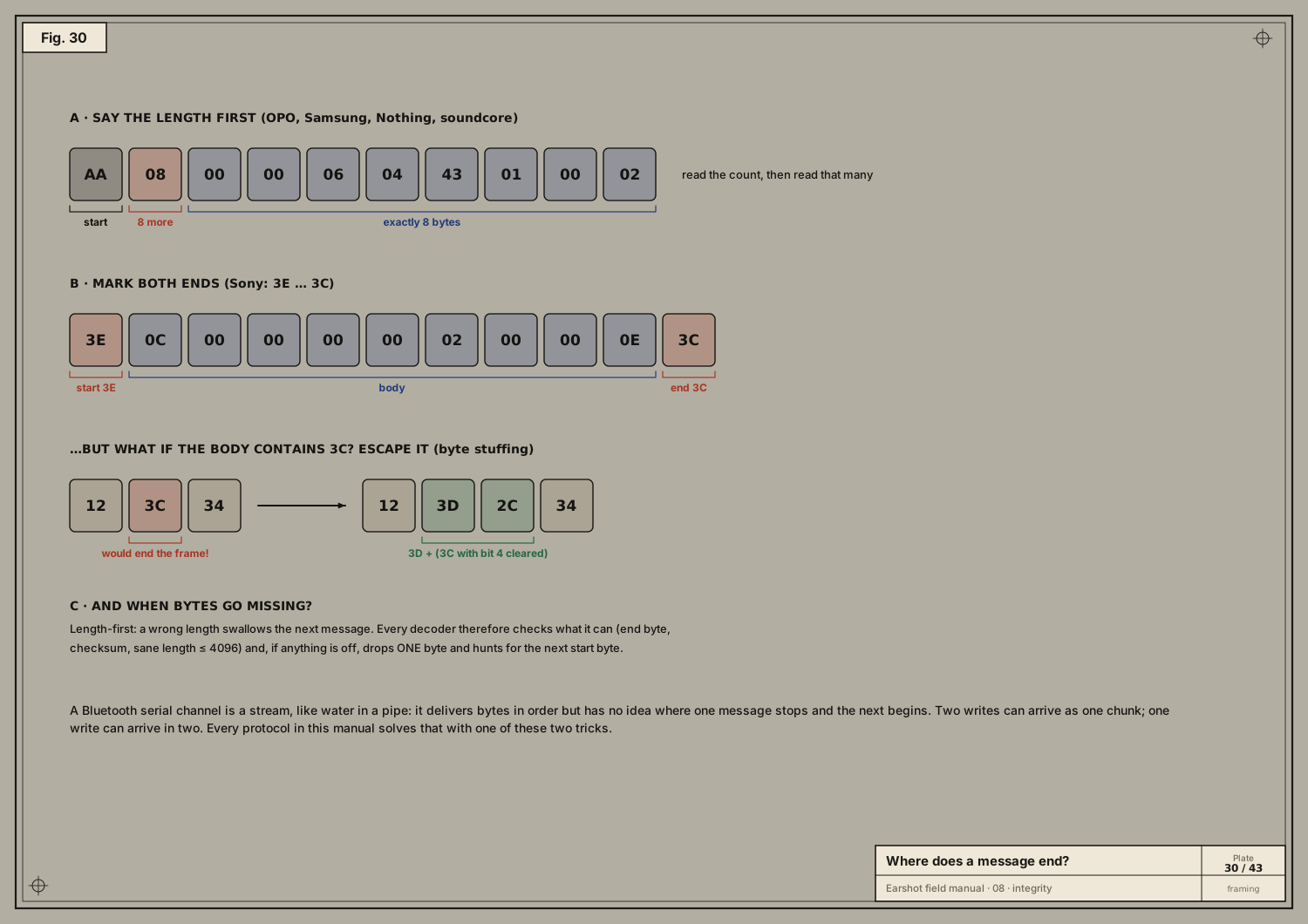
The first replies sometimes arrived glued together, or split across two callbacks. The decoder had to learn to find the edges of messages in a stream of bytes, and the other brands each protect their messages…

09 ASSET – 010

The other brands

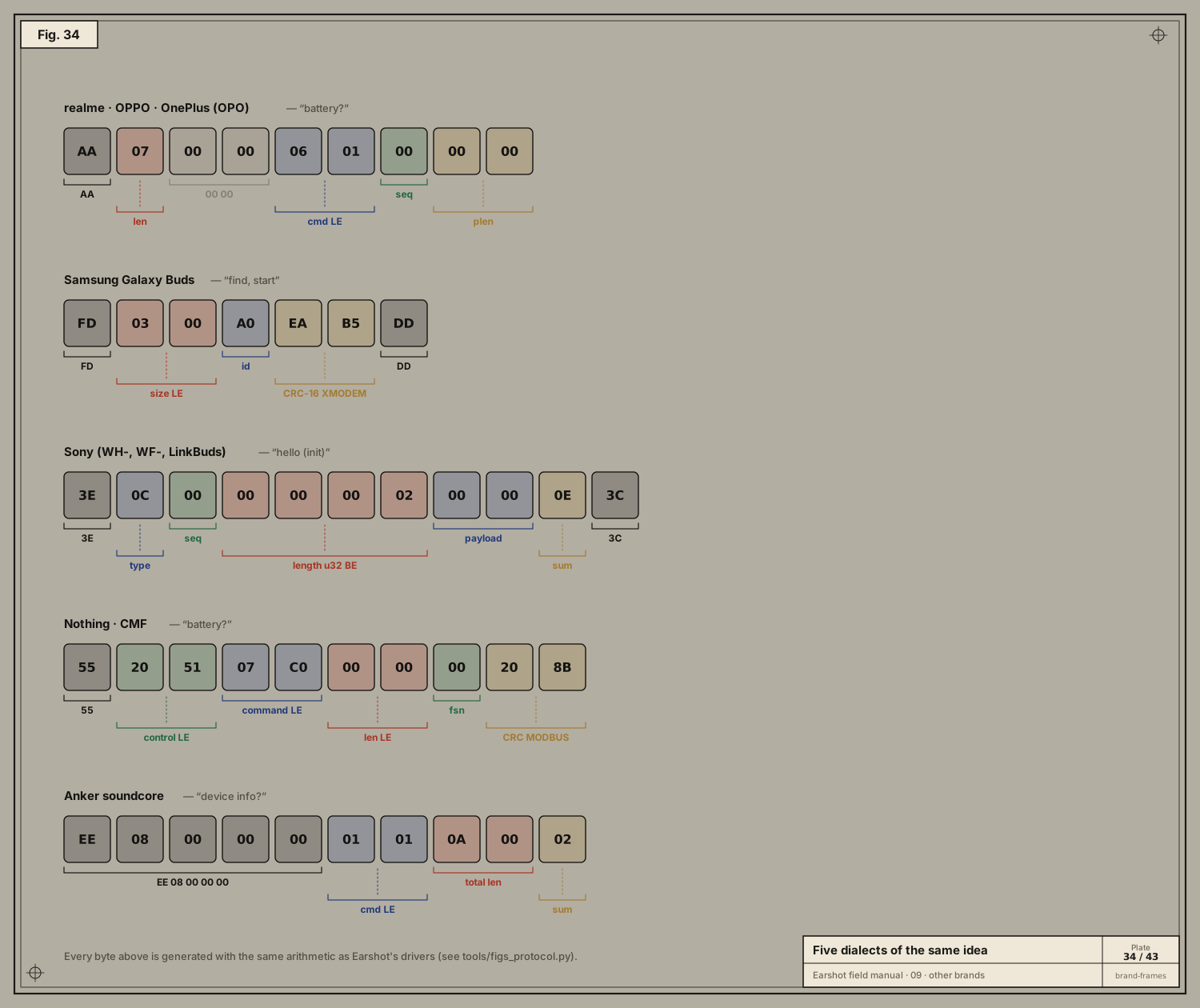
After v1.0, the question was "Most earbuds that are not Apple, the ones sold in India and English-speaking countries. I don't have them. Is that doable?" This chapter is the answer: five protocol families…

10 ASSET – 011

The app

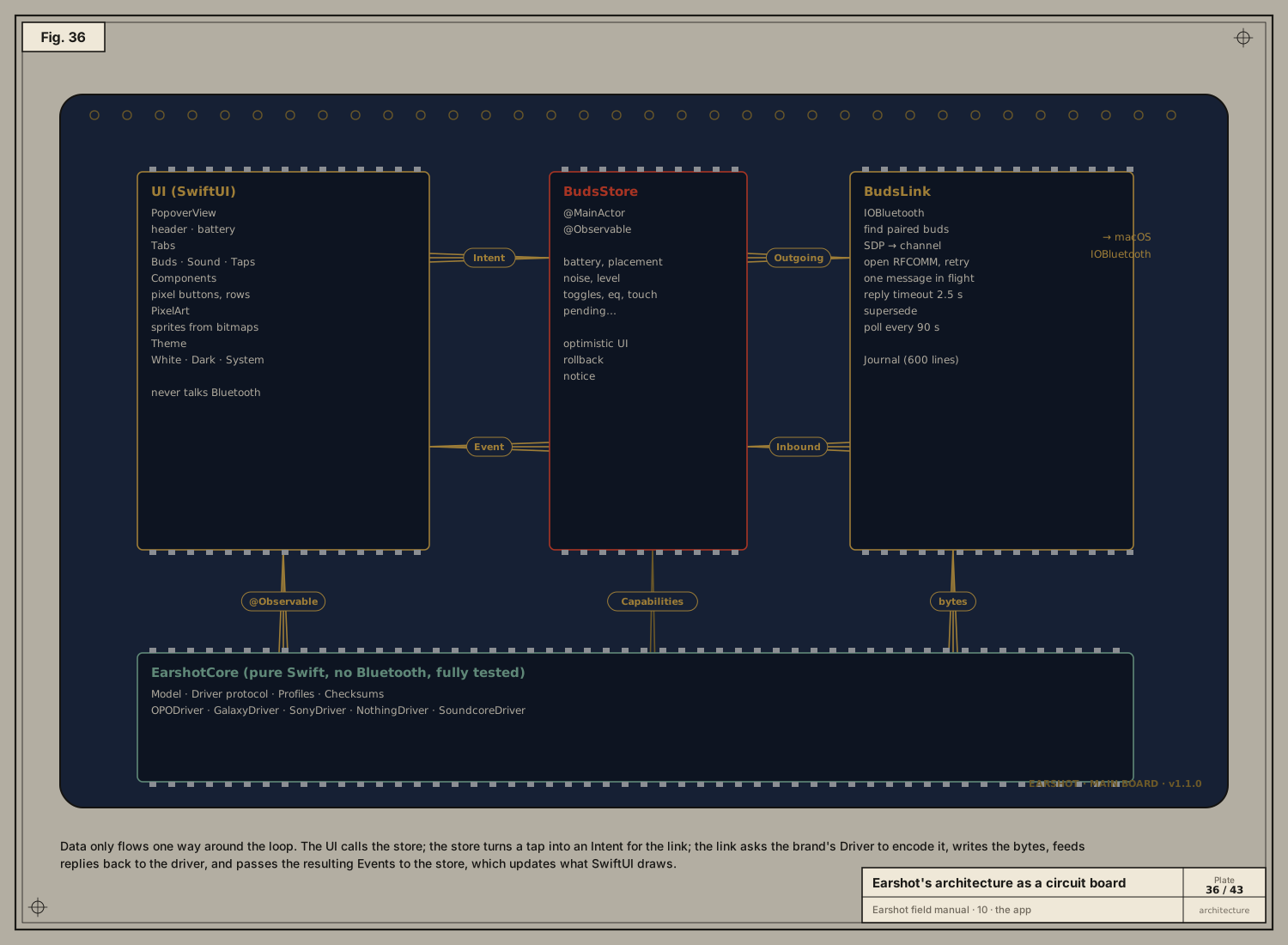
With a working protocol, the user asked for "a beautiful app… prod level", in the same design language as their other projects. Then the real-world problems arrived: flicker, stuck links, ugly notifications…

11 ASSET – 012

Shipping

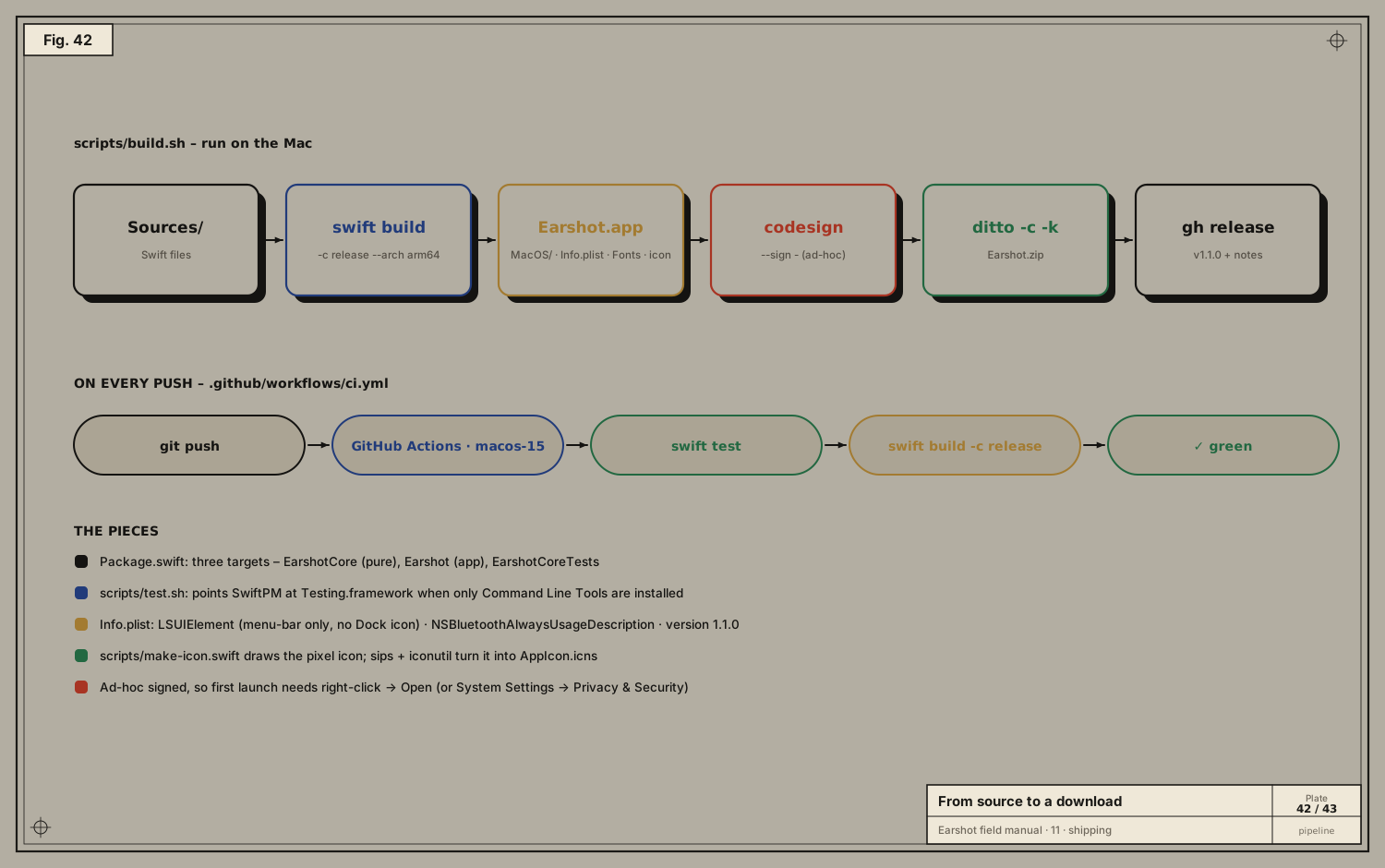
"All good, ship it." Code on a laptop helps one person. This chapter is how Earshot became a download anyone can install, and how every push is checked automatically.

12 ASSET – 013

Glossary and credits

| Term | Meaning |

↑↓ move↵ open